Browser Central | Performance Tips | System 7 Browsers
Last updated: 27.08.2023

 |
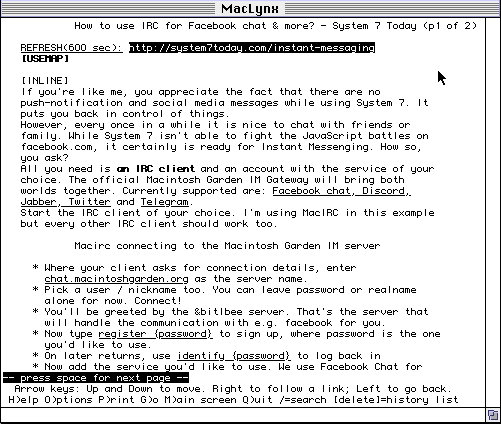
MacLynx
A recent port of the Lynx text-based browser with on-going Mac-ification efforts. Early versions suffered from an ugly interface ignoring any Macintosh guidelines. This has been gradually improved with the latest releases such as beta 5 (August 2023). Mouse support has been added as well as scrollbars and a top menu bar.
Cameron Kaiser is doing a great job of improving MacLynx as the System 7 browser of the future. Support for form elements or SSL proxies (think Crypto Ancienne) make this to go-to browser choice on any System 7 Mac these days.
Screenshot:
Downloads:
Minimum requirements:
- 68020 (68k)
- System 7.0 or higher
- 2 MB RAM
- MacTCP or Open Transport
|

|
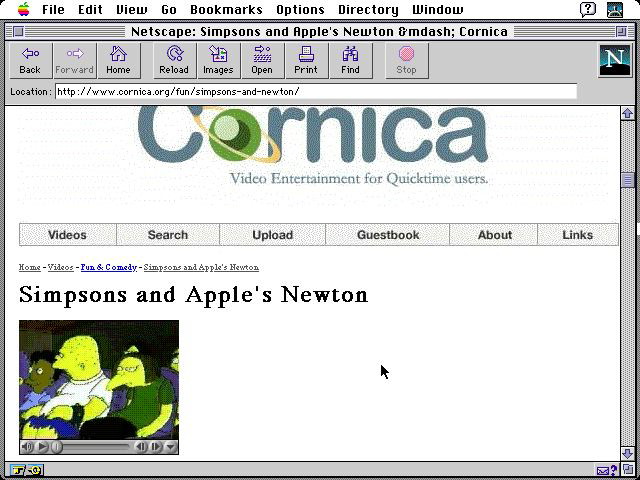
iCab 2.9.9
Last version for System 7 (68k & PowerPC) is 2.9.9. Both versions are identical feature-wise. iCab includes features such as tabbed browsing, a pop-up blocker, a built-in HTML validator and localized versions.
The price is slower performance. It renders pages more accurately though and handles form elements that Netscape tends to choke on. (e.g. website logins, contact forms)
We recommend iCab 2.9.9 for faster System 7 machines with a 68040 or PowerPC processor. Owners of a 68030 Mac may want to keep a copy at hand too in case Netscape fails on them, but the speed won't be impressive.
Downloads:
Minimum requirements:
- System 7.1 (with Thread Manager and Drag & Drop, see updates)
- MacTCP or OpenTransport
- InternetConfig v1.2 or higher
|

|
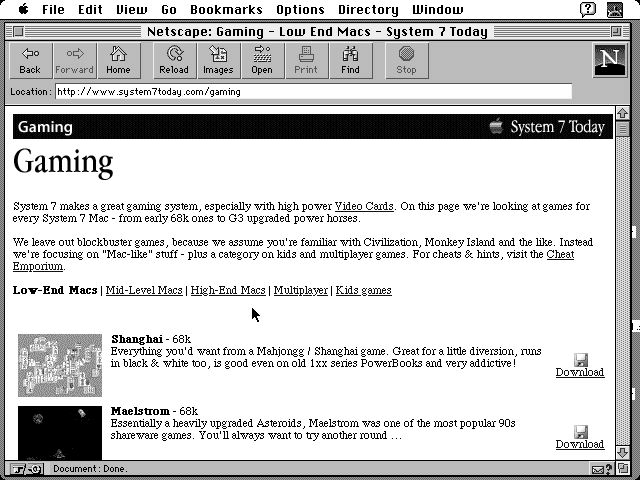
Netscape 2.0.2
Surprised to see this age-old version of Netscape recommended? Don't.
Netscape 2.0.2 is noticeably faster than Netscape 4 or even 3, yet, it offers a good set of basic features you'd want from a 68k compatible browser. Table layouts render fine along with support for plugins, frames and animated gifs. (who'd want to live without?)
Like later Netscape incarnations, it suffers from bugs when using form elements, such as site logins. Given the recent development of MacLynx, the reasons to use Netscape 2.0.2 get less and less.
Still, if you're on a 68k Macintosh like an Mac LC it might be the best compromise in speed / features. We're also including for download the legacy Netscape 4.8 Special System 7 Today Edition for PowerPC. Though these days, we recommend to use iCab and MacLynx on PowerPC instead.
Screenshot:
Downloads:
Minimum requirements: (Netscape 2.0.2)
- 68020 or higher
- MacTCP or OpenTransport
|
 |
Internet Explorer
The final version of Internet Explorer for 68k Macs is 4.0.1. Neither stable, nor exceptionally fast nor coming with impressive features. It also likes to chew up RAM.
As for PowerPC Macs, the final version is 5.0.2, which requires Mac OS 7.6.1. It features the Tasman rendering engine with support for HTML 4.0, CSS 1.0 and 2.0 (partially) and XML 1.0.
Unfortunately, unless you have a really fast Mac, it's sluggish and has lots of rendering quirks if pages haven't been specifically optimized. Hence the nickname "Internet Exploder". We think it's best to ignore any version of IE on the Mac nowadays. Settle with the better alternatives instead.
Downloads:
Minimum requirements:
- System 7.1 (68k) or 7.6.1 (PPC)
- 68030 (68k) or PowerPC processor
|
 |
Opera 5
Technically Opera 5 Final is the most modern browser for System 7, albeit for Power PC Macs only. So why isn't it recommended?
While it's CSS implementation is the most advanced, it's still very outdated and has trouble rendering pages correctly. It is also painfully slow. Don't even dare using it without one of those G3 / G4 CPU upgrades.
Opera 5 also had a tendency to crash a lot in our tests, so usage of MacsBug is highly recommended!
Downloads:
Minimum requirements:
- Fast Power PC Mac
- System 7.5.3 or higher
|
 |
WannaBe
WannaBe 1.0b14 is about the fastest browser you can get for System 7. Thanks to the fact that it is a text-only browser. It will not display images nor form elements like e.g. search boxes, logins etc. It does, however, allow for search plugins and we've created a good couple of them to search some popular retro Mac pages like the Mac Garden, Cornica, the Cheat Emporium and more.
It's a good companion on the most low-spec Macintosh (think LC!) or if you just crave for sheer speed. We do think that Netscape 2.0.2 is a better candidate though, as it features both speed and better rendering capabilities (images, support for search boxes etc.). WannaBe really shines for retrieving a download link or some read-only browsing.
Downloads:
Minimum requirements:
- 68020 (68k) or any PowerPC
- System 7.1 (with Thread Manager and Drag & Drop, see updates)
|
 |
Cyberdog
Less of a typical internet browser, rather a program suite for the Internet. It is based on Apple's short-lived framework OpenDoc. The last version, 2.0b1, was released in 1997 and supports the then up-to-date HTML 3 specs. It also includes a news-reader and a ftp client.
While nominally working on any 68030 Macs, we found in testing it on our Mac IIci that it was incredibly slow unless we enabled a CPU accelerator. Given better alternatives, there isn't a compelling reason to use Cyberdog today unless you feel nostalgic about it.
Downloads:
Minimum requirements:
- 68030 (68k)
- System 7.5.3 or higher
- 16 MB RAM
- MacTCP 2.0.4 or later or Open Transport 1.1 or later
|


Copyright 2026 System7Today.com
.
The Apple Logo, Macintosh, Mac OS, and others property of Apple Computer, Inc.
This site is in no way affiliated with Apple Computer, Inc. |